Speech Synthesis 🎧
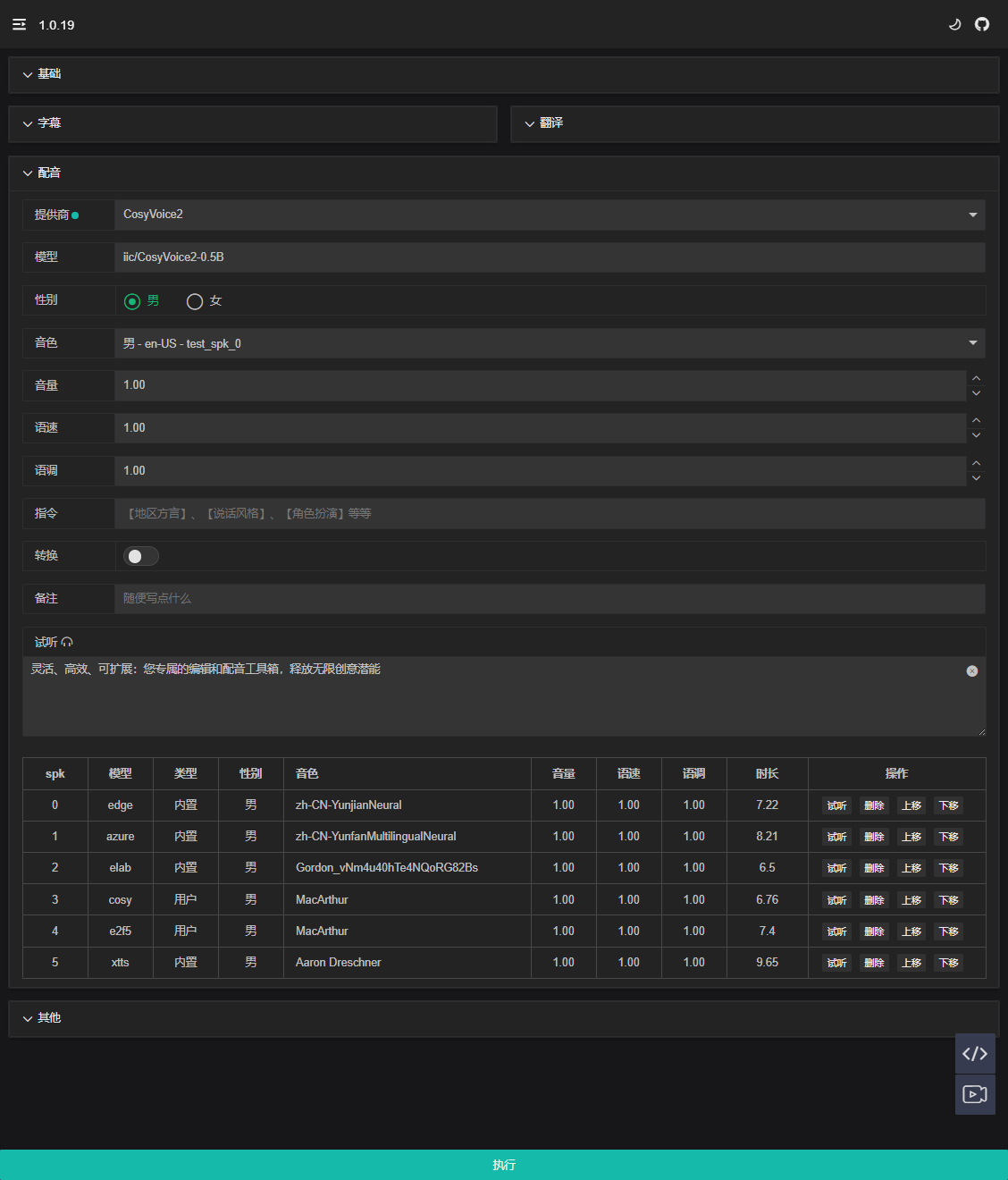
A rich library of voices and customization options provide a personalized dubbing experience to meet creative needs. Real-time preview ensures precise creation.
Debug Mode
After uploading the video, click Execute to start. At this point, Debug Mode will interrupt subsequent execution.
2025-04-18 04:55:14.045 | INFO 12672 trans_.py:43 - language: zh-CN
2025-04-18 04:55:14.045 | WARNING 12672 trans_.py:50 - skipping translated
2025-04-18 04:55:14.046 | INFO 12672 tts_.py:423 - Loaded transcription data from: webapp/dubb/test/zh/test.json
2025-04-18 04:55:14.050 | WARNING 12672 tts_.py:452 - delete tts file : webapp/dubb/test/zh/tts/00_27c51c.wav
...
2025-04-18 04:55:14.067 | WARNING 12672 tts_.py:452 - delete tts file : webapp/dubb/test/zh/tts/08_9ebe29.wav
2025-04-18 04:55:17.559 | INFO 12672 cbaudio.py:331 - Generated trans audio file: webapp/dubb/test/tts/test.wav 30.571
View Content
By clicking the bottom-right icon , you can view the currently recognized content.
Manual Editing

Modify the text values of different attributes and click the top-right icon to save the changes.
Provider Selection
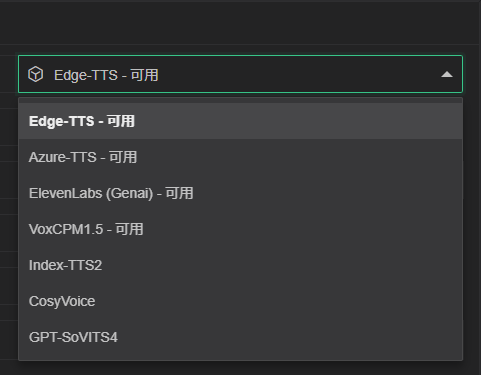
| Model | Supported Languages | Recommendation Index |
|---|---|---|
| Edge-TTS | 100+ | 🔥🔥🔥🔥 |
| Azure-TTS | 100+ | 🔥🔥🔥🔥🔥 |
| ElevenLabs | 100+ | 🔥🔥🔥🔥 |
| VoxCPM1.5 | 2 | 🔥🔥🔥🔥🔥 |
| IndexTTS2 | 2 | 🔥🔥🔥🔥🔥 |
| CosyVoice3 | 9 | 🔥🔥🔥🔥 |
| GPT-SoVITS4 | 4 | 🔥🔥🔥🔥 |
How to Choose
Note
- It is recommended for general users to use
Azure-TTS,Edge-TTS, which has faster synthesis speed. VoxCPM1.5,IndexTTS2,CosyVoice3andGPT-SoVITS4require high-performance devices, synthesis efficiency is low on low-performance devices.- Additionally, you can use
ColaborKagglefor remote deployment to improve processing speed.
Parameters
Different models use different parameters. This section will be supplemented gradually.
Edge-TTS
To be added.
Azure-TTS
You need to configure the <AZURE_API_KEY> environment variable in the format: <REGION>-<KEY>, e.g., AZURE_API_KEY=eastus-abcdefghijklmnopqrstuvwxyz123456.
ElevenLabs
You need to configure the <GENAIPRO_API_KEY> environment variable.
VoxCPM1.5
To be added.
IndexTTS2
To be added.
CosyVoice3
To be added.
GPT-SoVITS4
To be added.
Configuration Options
Gender
Switching gender changes the voice tone, helping users quickly find the ideal voice.
Voice
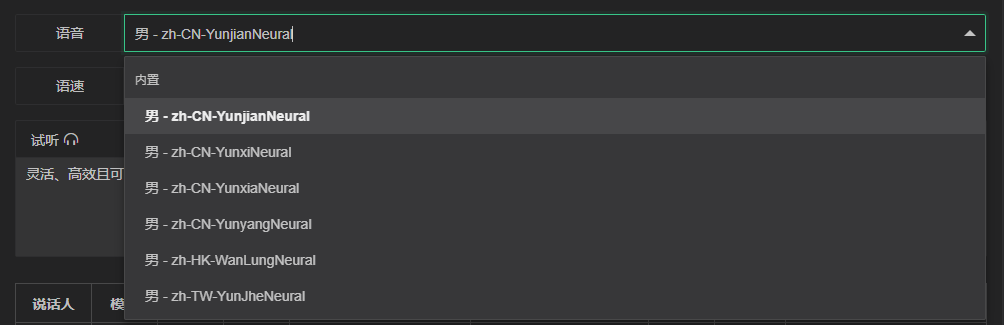
The dubbing options provided vary depending on the model and video. Dubbing is divided into three types: Built-in, Video, and User. Users can customize voice tones or record their own voices.
Volume
Control the output sound volume, supporting volume settings for multiple speakers.
Speech Rate
The speech rate is a crucial parameter in synthetic voice generation. The choice of rate can significantly affect the results across different languages and scenarios.
2025-04-18 07:08:59.473 | WARNING 11760 cbaudio.py:284 - idx_03.wav 06000-07757, 1.757s, speed up 1.220.
2025-04-18 07:09:00.092 | WARNING 11760 cbaudio.py:284 - idx_08.wav 16199-19406, 3.207s, speed up 1.454.
2025-04-18 07:09:00.441 | WARNING 11760 cbaudio.py:284 - idx_12.wav 24561-26832, 2.271s, speed up 1.235.
2025-04-18 07:09:00.926 | WARNING 11760 cbaudio.py:284 - idx_16.wav 33059-35588, 2.529s, speed up 1.277.
Note
During speech synthesis, the speech rate value will be printed. This value should be close to 1 and should not exceed 1.2 to avoid pitch distortion. If unavoidable, manual adjustments can be made.
Preview

Users can input custom text for speech synthesis preview to confirm the dubbing effect. Switch between Basic -> Language to change the preview text language. Preview records will be saved to the Dubbing List.
Dubbing List
Displays the currently available dubbing voice information, supporting preview, deletion, and reordering operations.

Operation Instructions:
- Click
Previewto immediately play the voice clip. - Click
Deleteto remove the voice. - Use
Move Up/Move Downto control the voice order.
Note
Example: When a user uploads test.mp4 and marks it as 001:
- For single-person dubbing, the
Speakerdefaults to0. - For multi-person dubbing, the
Speakermatches thespkin thetest_001.jsondata.