
应用组件
您可以自由定制开发与集成,灵活适配自身需求场景,打造个性化应用;
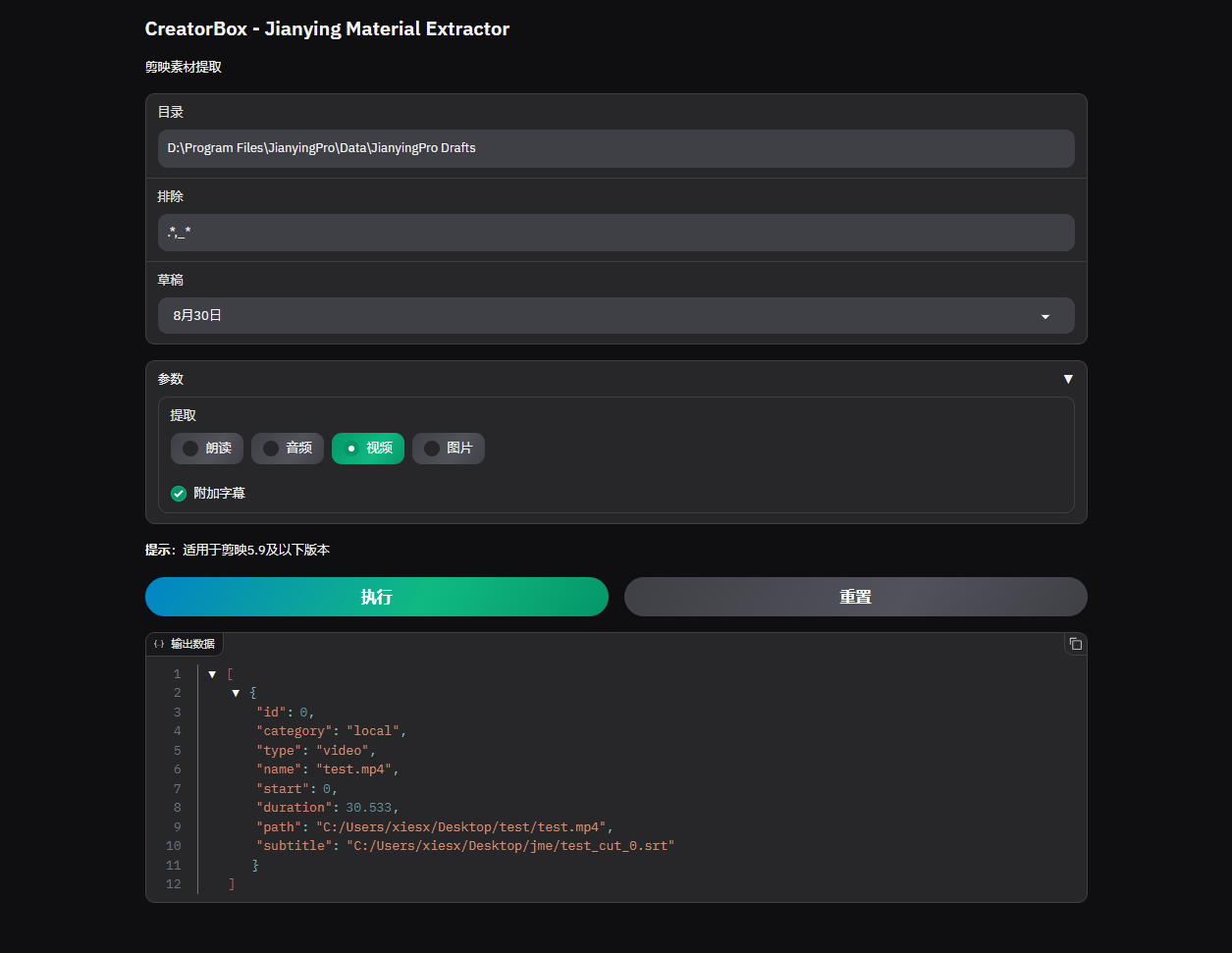
应用预览
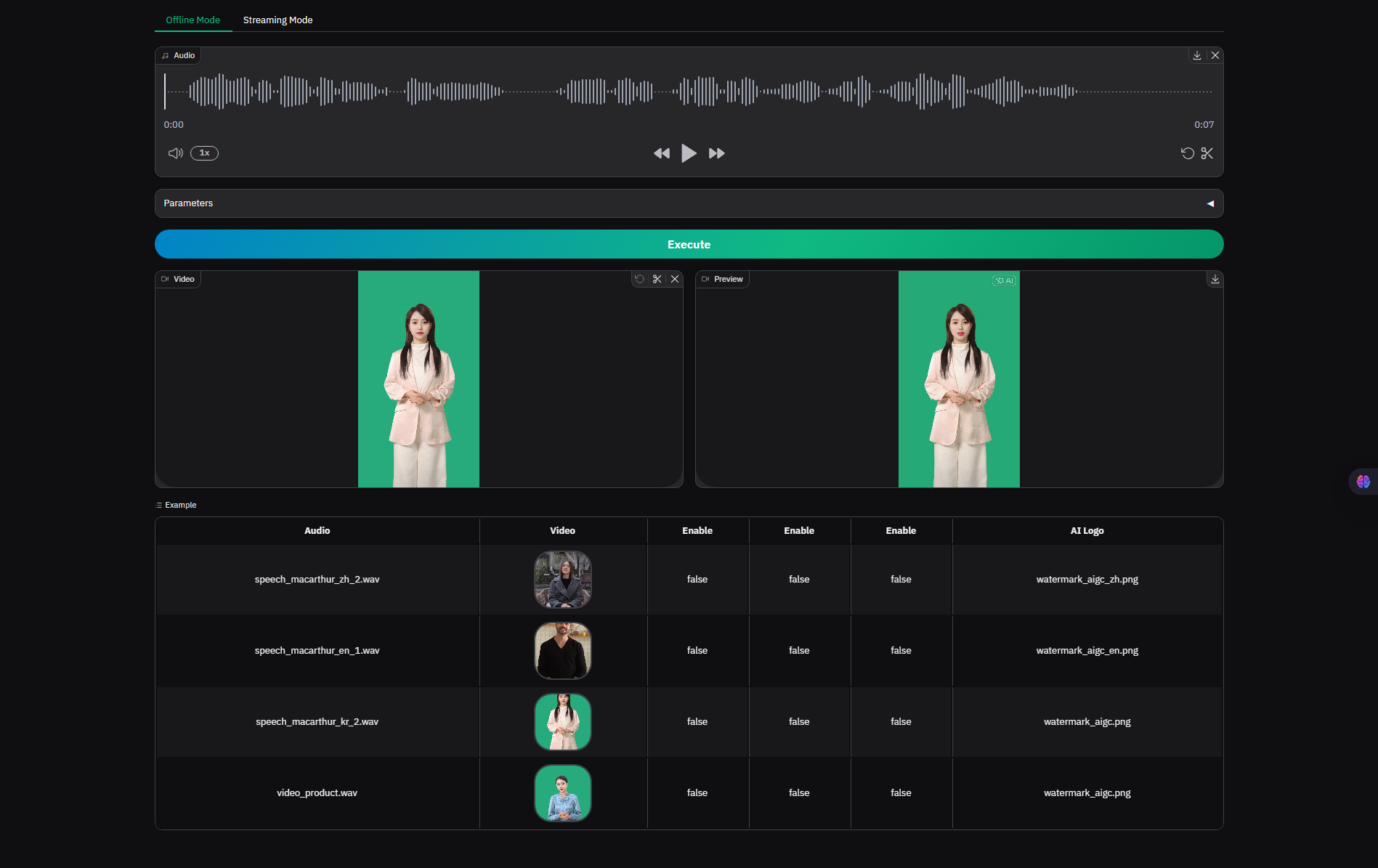
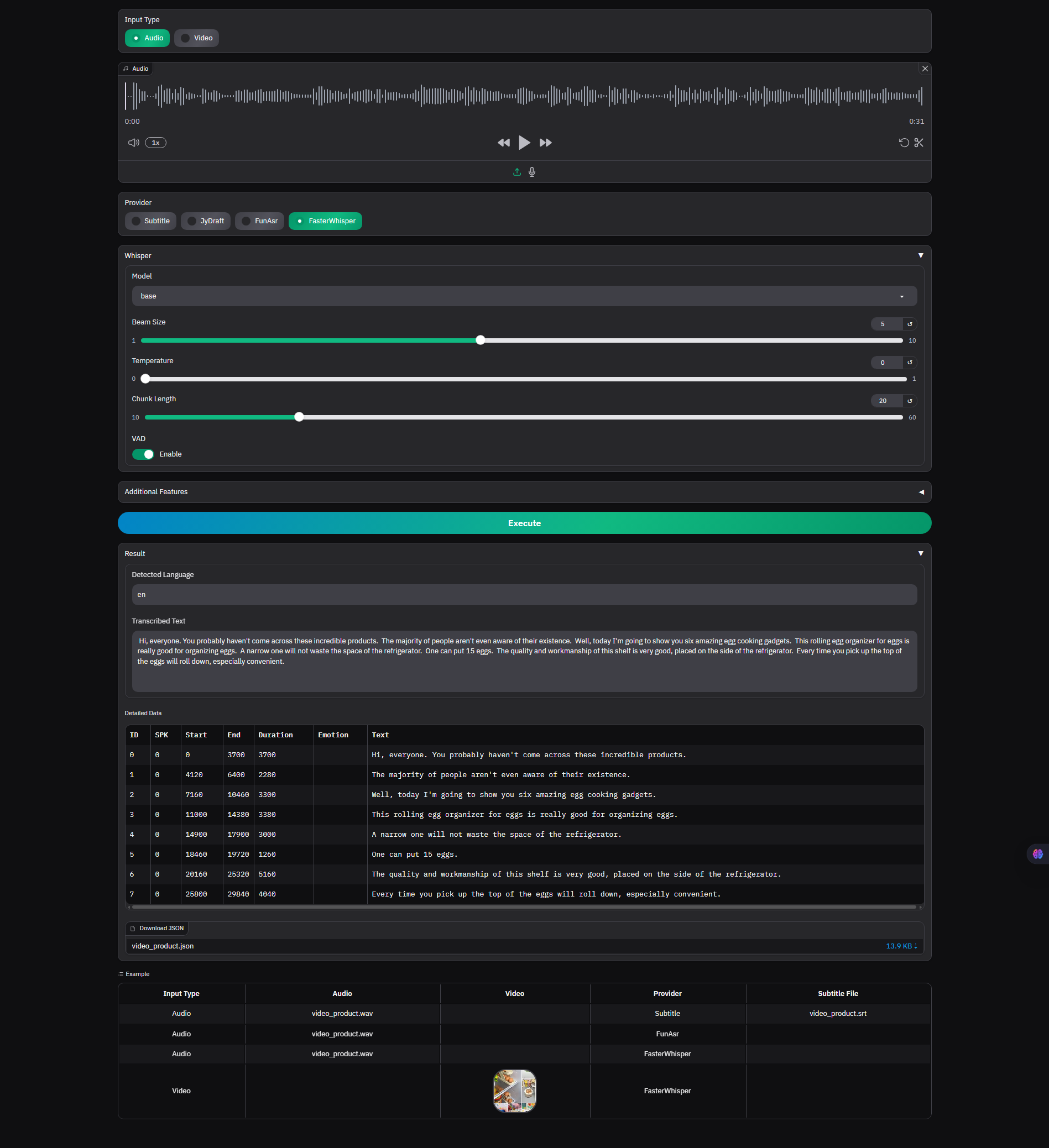
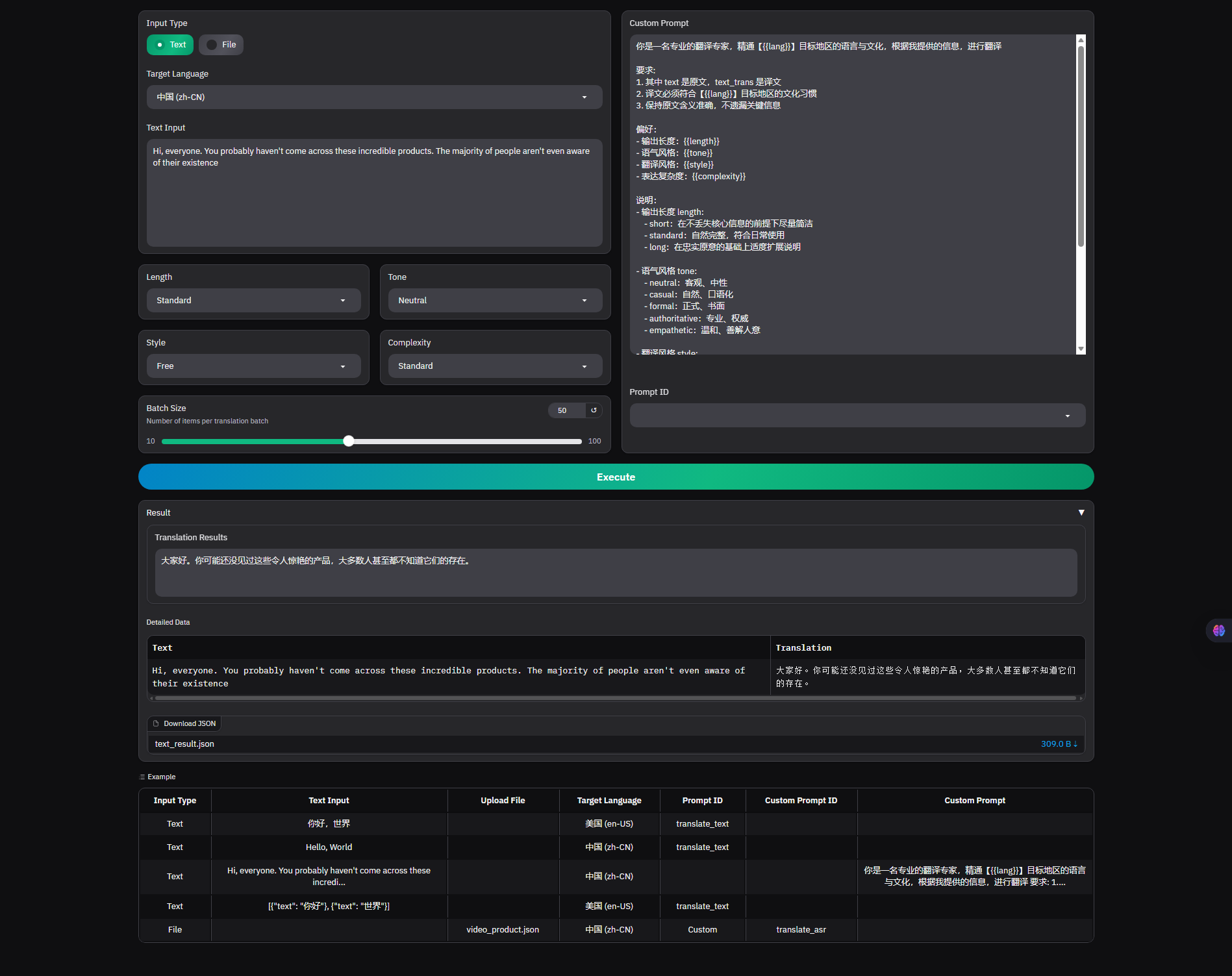
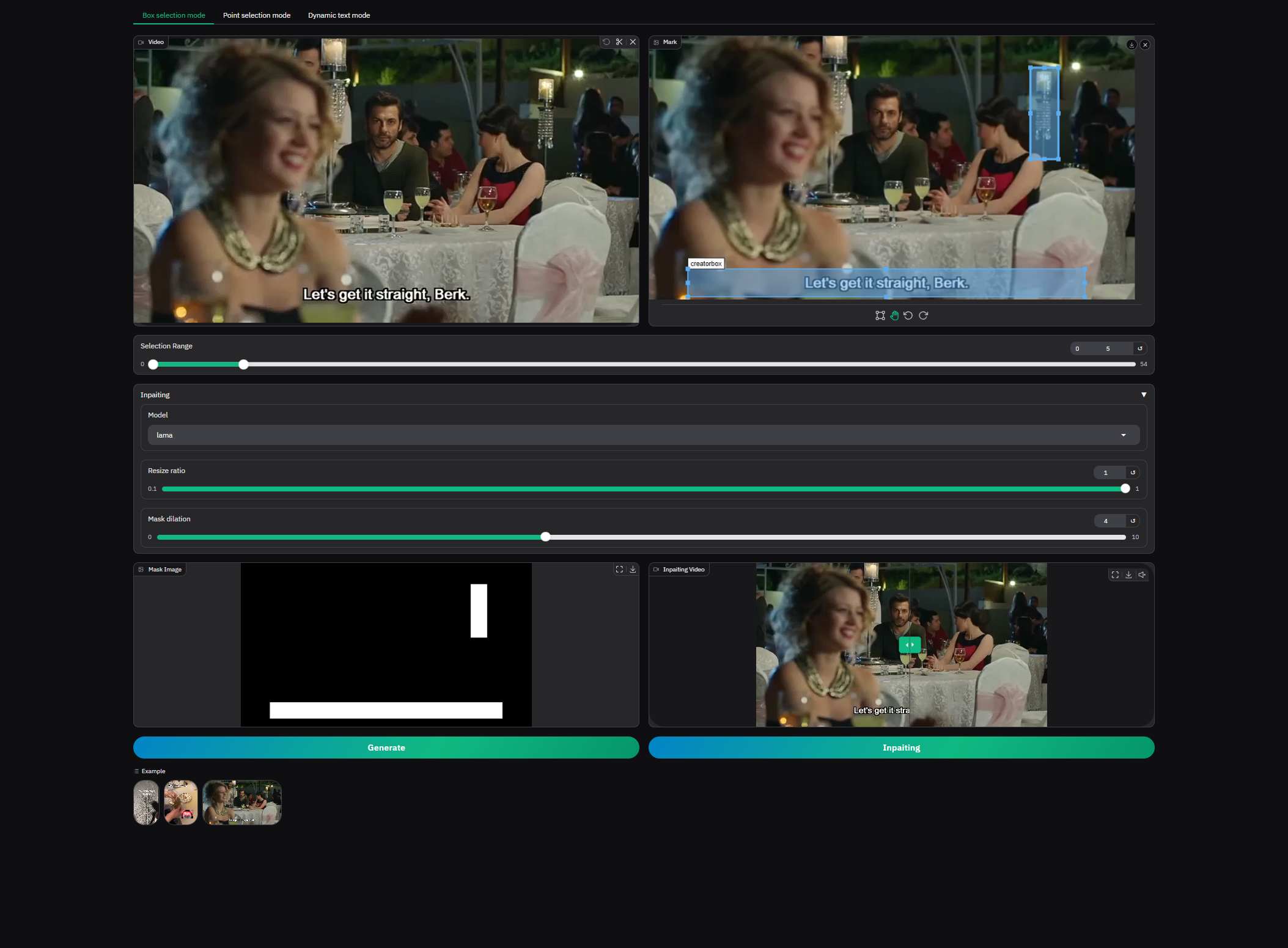
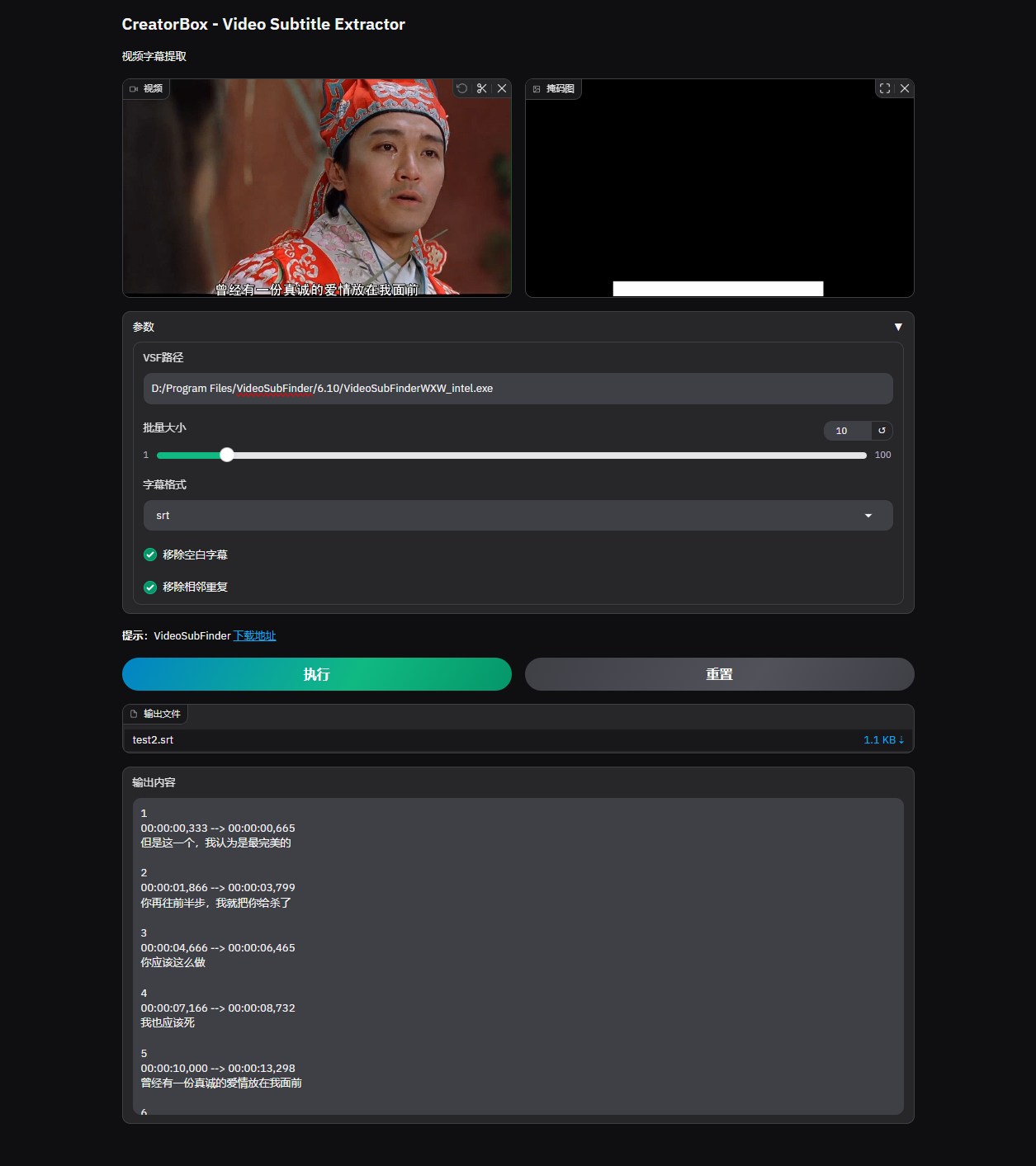
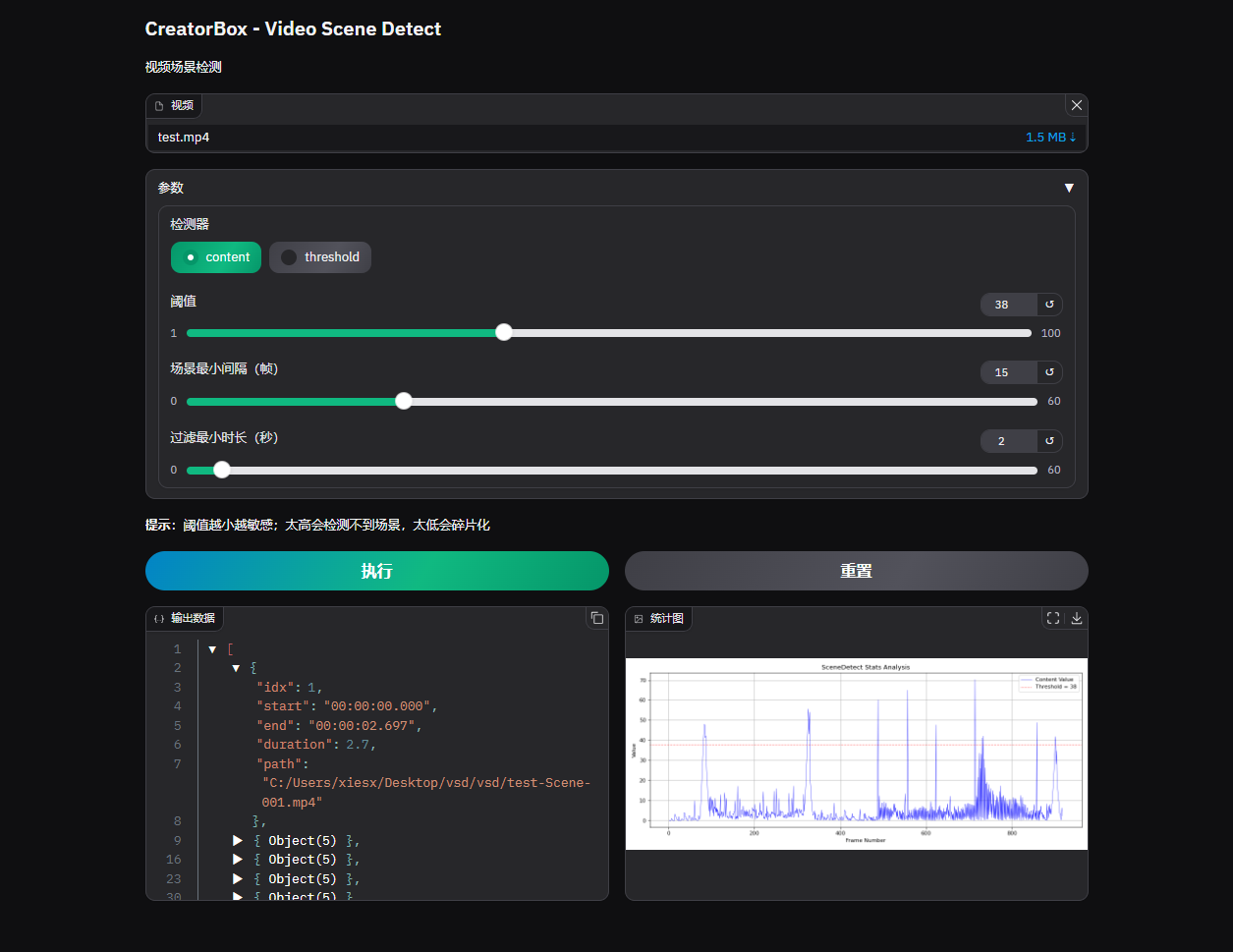
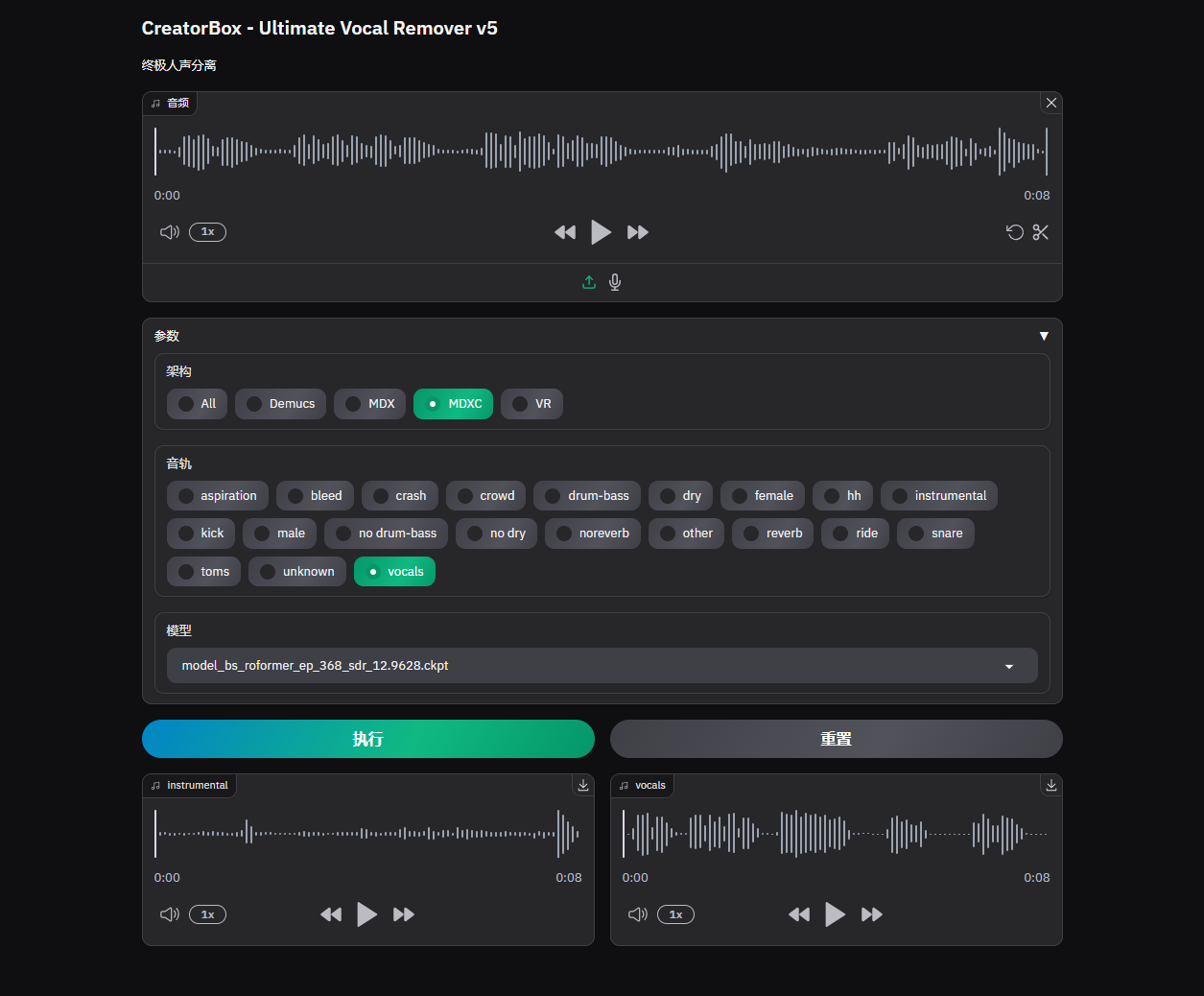
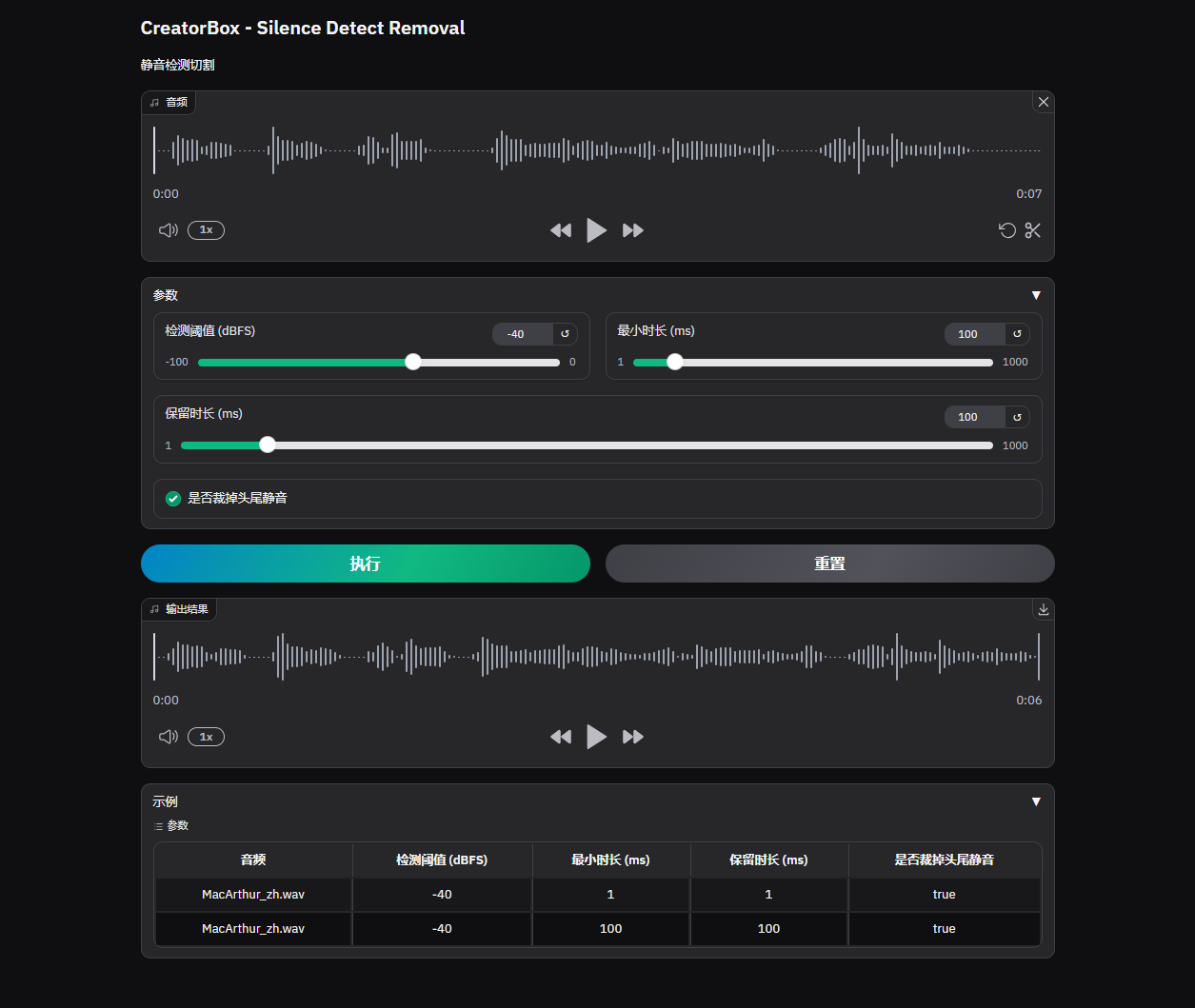
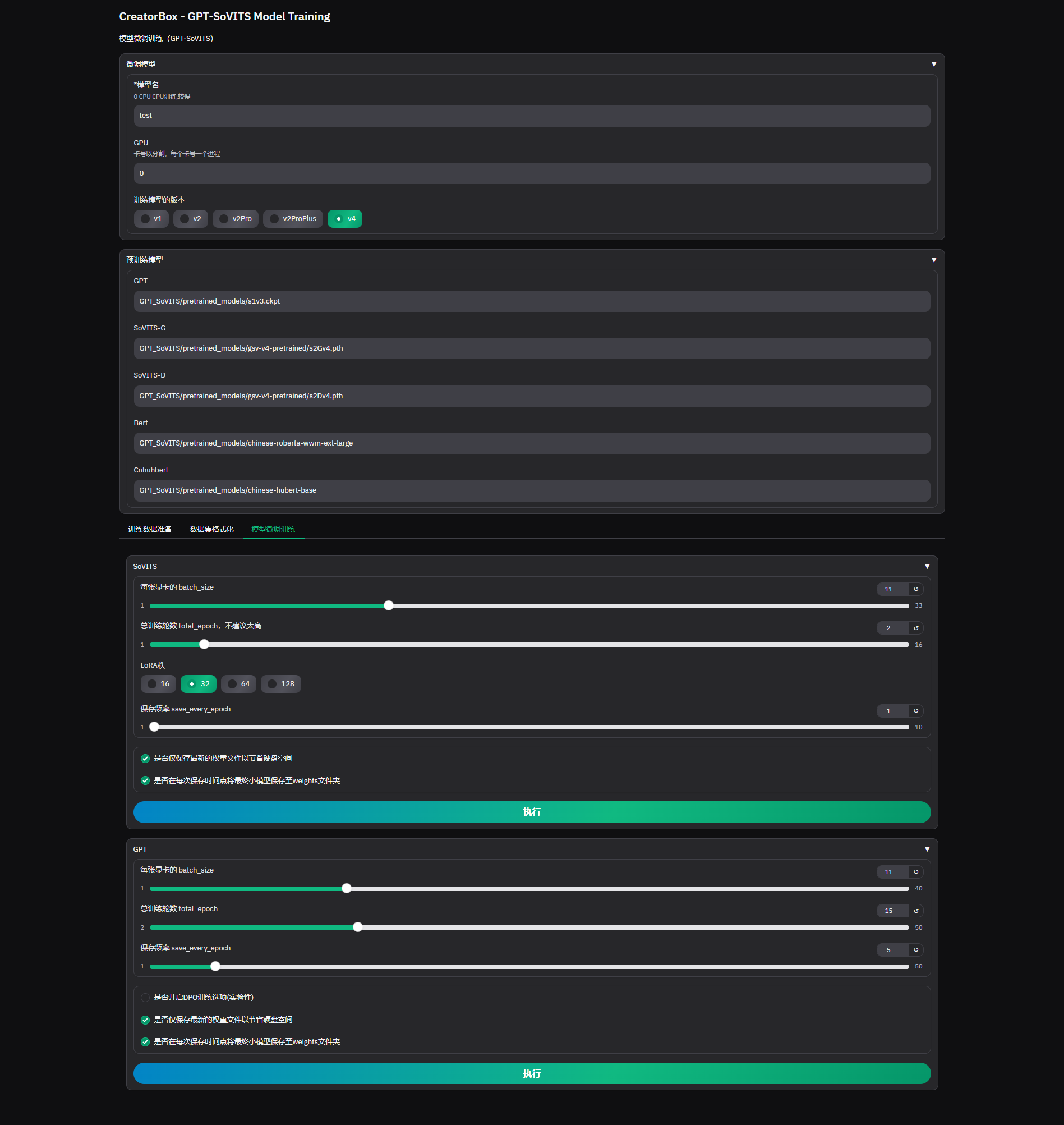
模型微调训练 gmt
插件开发
1. 定义
python
...
from src.app.prefs import INSTANCES as prefs
from src.gradio.tools import helper
from src.gradio.tools.toast import Toast

def gradio(**kwargs):

    # 配置
    cfg = prefs.get()

    # 界面
    with gr.Blocks(**kwargs) as app:

        with gr.Row():
            input_url = gr.Textbox(label=i18n("链接"), max_lines=1, placeholder=i18n("粘贴链接"))

        with gr.Row():
            title_txt = gr.Textbox(label=i18n("标题"), max_lines=1, interactive=False)

        with gr.Tabs() as tabs:
            with gr.TabItem(i18n("封面")):
                thumb_image = gr.Image(label=i18n("预览"), height=300)
            with gr.TabItem(i18n("视频")):
                video_table = gr.Dataframe(label=i18n("视频列表"), headers=[i18n("ID"), i18n("格式"), i18n("分辨率"), i18n("大小"), i18n("音频")], interactive=False, elem_id="output-table")
                video_fmt_input = gr.Textbox(label=i18n("ID"), max_lines=1, placeholder=i18n("请输入视频格式ID"))
                btn_v_download = gr.Button(i18n("下载"))
                video_file = gr.Video(label=i18n("预览"), height=300)
            with gr.TabItem(i18n("音频")):
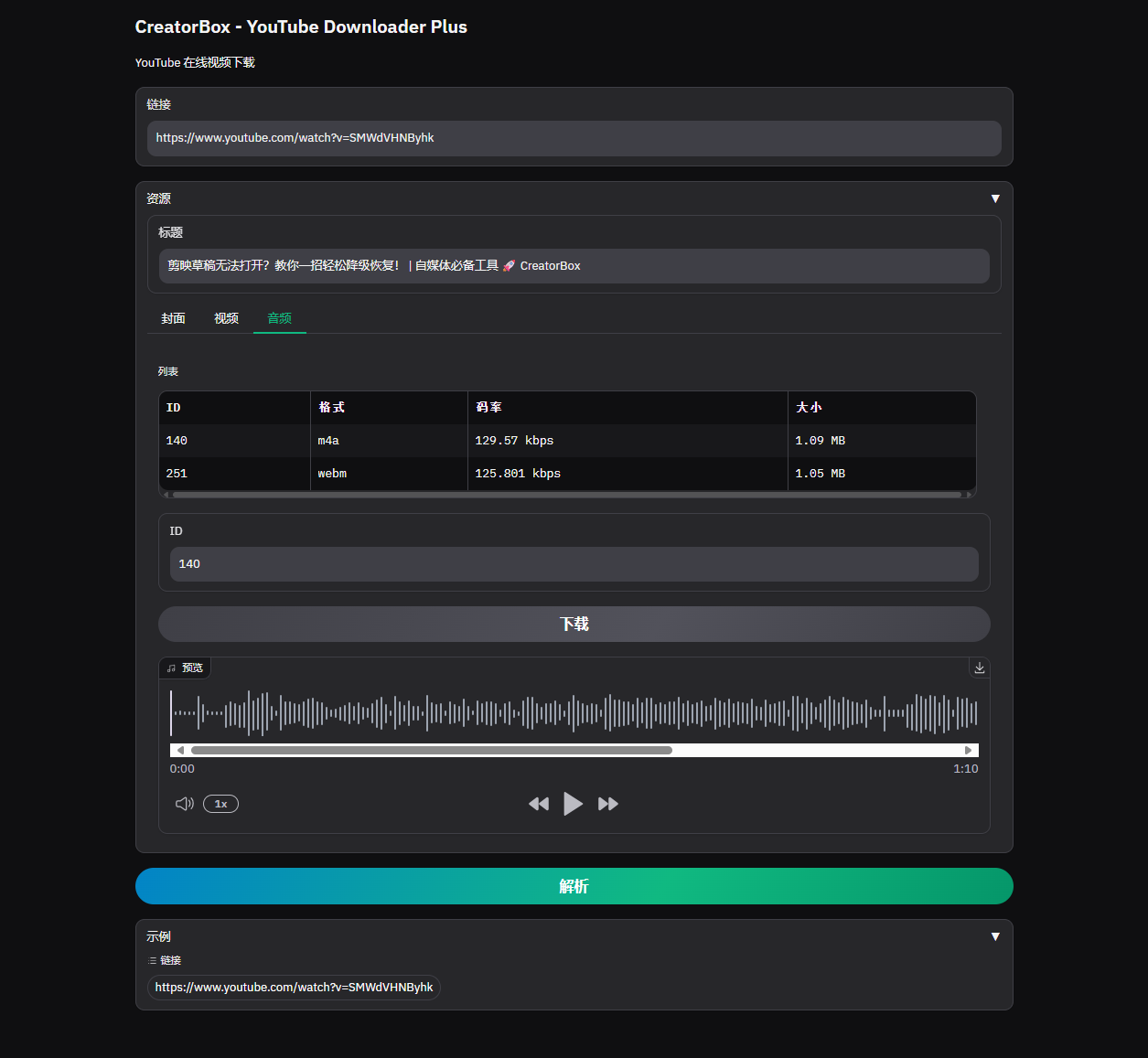
                audio_table = gr.Dataframe(label=i18n("音频列表"), headers=[i18n("ID"), i18n("格式"), i18n("码率"), i18n("大小")], interactive=False, elem_id="output-table")
                audio_fmt_input = gr.Textbox(label=i18n("ID"), max_lines=1, placeholder=i18n("请输入音频格式ID"))
                btn_a_download = gr.Button(i18n("下载"))
                audio_file = gr.Audio(label=i18n("预览"), type="filepath")
            with gr.TabItem(i18n("字幕")):
                subs_table = gr.Dataframe(label=i18n("字幕列表"), headers=[i18n("语言"), i18n("格式"), i18n("URL")], interactive=False)
                sub_lang_input = gr.Textbox(label=i18n("语言"), max_lines=1, placeholder=i18n("请输入字幕语言代码"))
                sub_ext_input = gr.Textbox(label=i18n("格式"), max_lines=1, placeholder=i18n("请输入字幕格式"))
                btn_s_download = gr.Button(i18n("下载"))
                sub_file = gr.File(label=i18n("字幕文件"))

        with gr.Row():
            parse_btn = gr.Button(i18n("解析"), variant="primary")

        gr.Examples(
            label=i18n("示例"),
            examples=[
                ["youtube", "https://www.youtube.com/watch?v=SMWdVHNByhk"],
            ],
            inputs=[title_txt, input_url],
        )

        ...

    return app

if __name__ == "__main__":
gradio().launch(server_port=8001)python
import gradio as gr

# 主题
default_themes = [
    gr.themes.Base,
    gr.themes.Default,
    gr.themes.Soft,
    gr.themes.Monochrome,
    gr.themes.Glass,
    gr.themes.Origin,
    gr.themes.Citrus,
    gr.themes.Ocean,
]

###################### 自定义 ######################
custom_theme = gr.themes.Ocean(
    text_size="sm",
)
###################### 自定义 ######################

def _default_theme():
    return custom_theme

if __name__ == "__main__":

    # 1、run `python -m builder.py` to open the theme builder
    # 2、see https://huggingface.co/spaces/gradio/theme_builder

    from gradio import themes as t

t.builder()2. 注册
bash
curl -X 'POST' \
  'http://127.0.0.1:8000/plugin/upsert' \
  -H 'accept: application/json' \
  -H 'Content-Type: application/json' \
  -d '{
      "id": 10001,                                        # 编号
      "name": "dlp",                                      # 名称
      "description": "YouTube Downloader Plus (yt-dlp)",  # 描述
      "image": "../static/images/img_placeholder.png",    # 封面
      "module": "src.gradio.component.dlp_",              # 路径
      "attr": "gradio",                                   # 方法
      "url": "/dlp",                                      # 请求
      "type": 1,                                          # 类型(1:组件,2:扩展)
      "status": 1                                         # 状态
}'3. 打开
| 封面 | 视频 | 音频 |
|---|---|---|
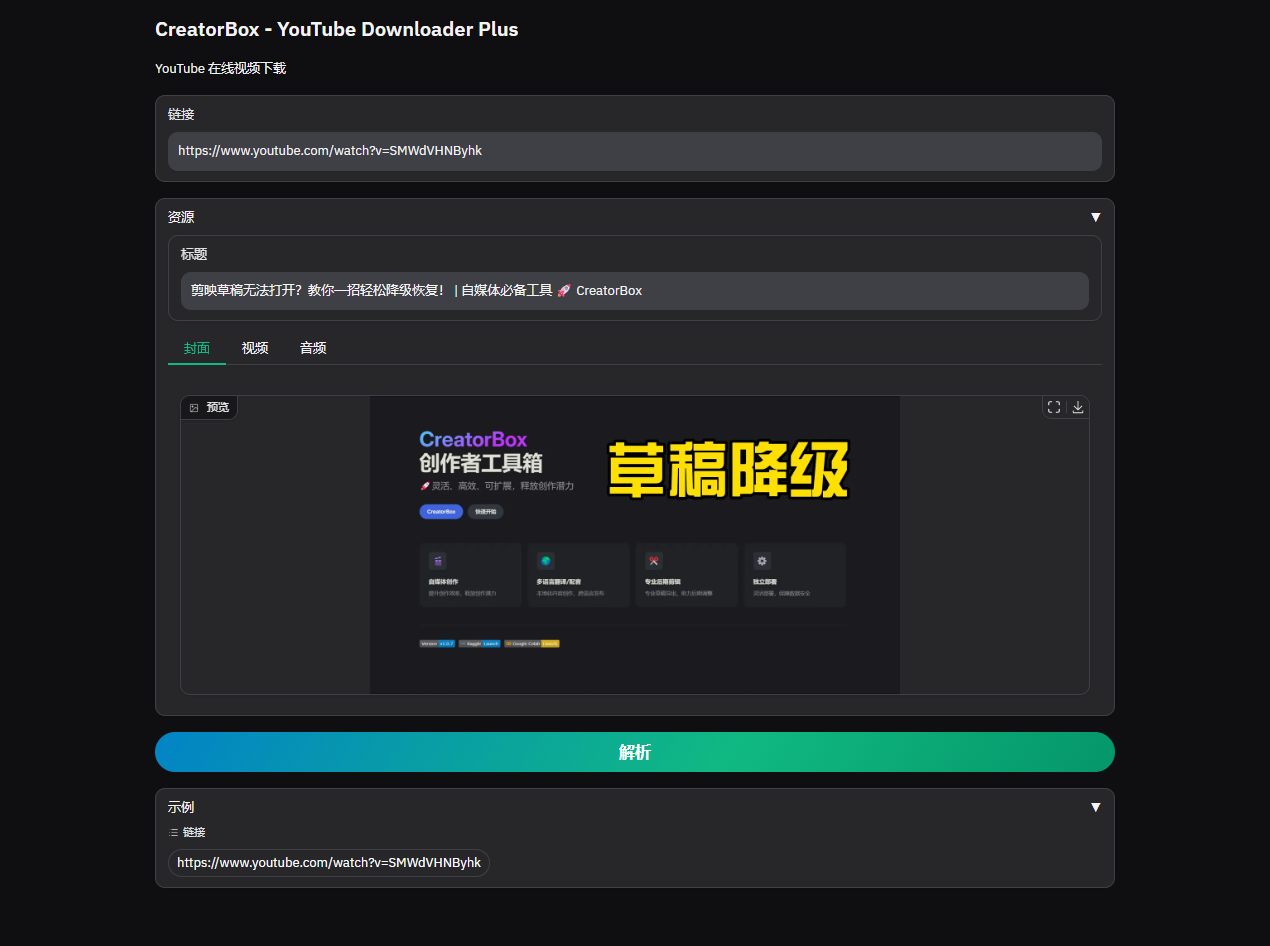 | 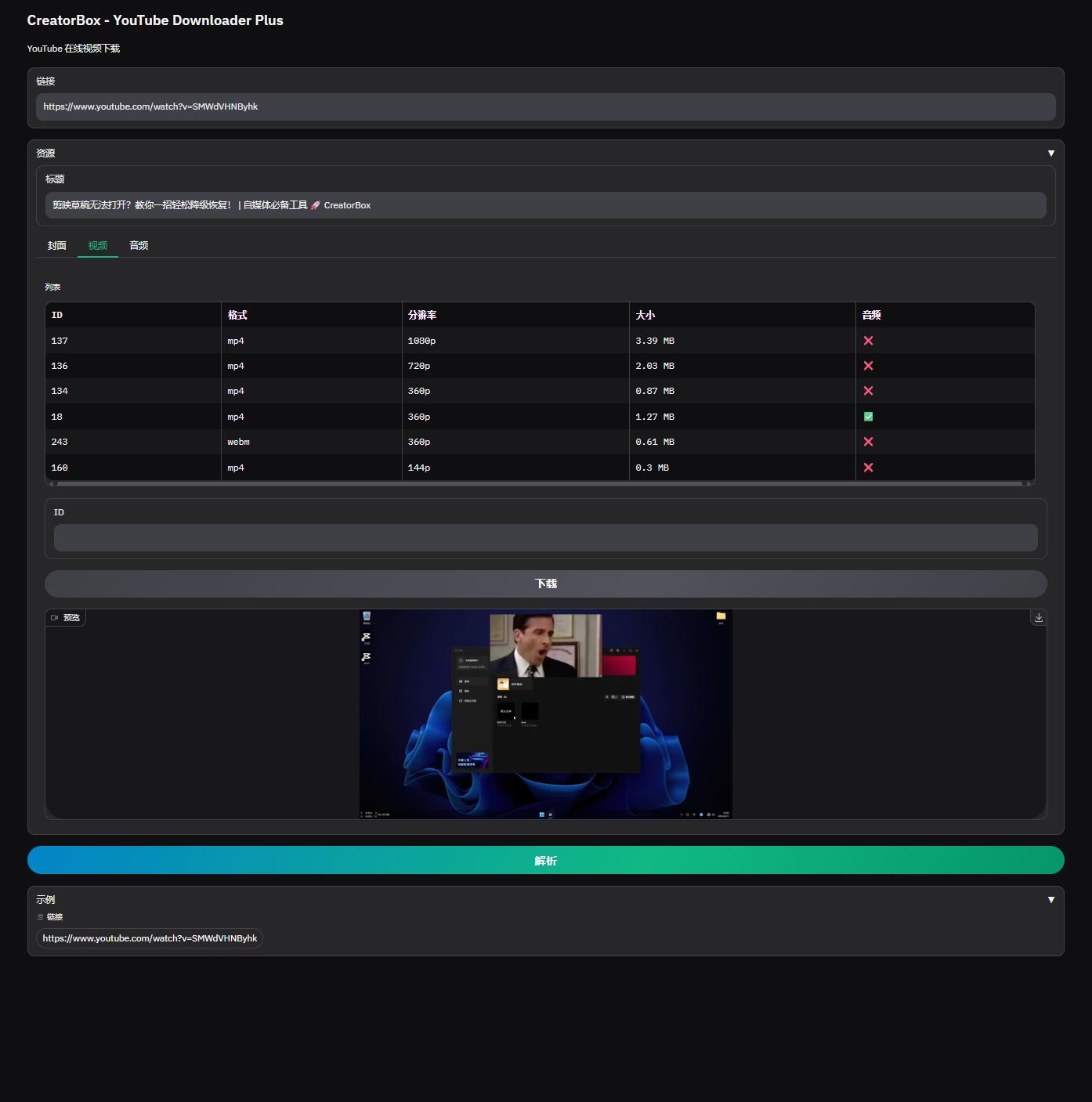 |  |
更多场景
1. 批量运行
批量化去操作?
待补充
2. MCP
如何对接第三方的 MCP 工作流
待补充
持续更新
专属插件
设计、开发和集成基于 CreatorBox 的专用插件,以扩展现有软件功能
如需插件定制,请在 插件开发&集成 留言